Document disorder rarely starts as a “mess.” It begins with small delays: a file saved on one computer, a printed form placed on the nearest shelf, a contract revision emailed without a clear version name. Over weeks, teams lose time searching, duplicate work increases, and compliance risks quietly rise. Efficient document organization is not about adding more folders or buying more cabinets. It is about building a repeatable system that makes the correct document easy to store, easy to find, and hard to misplace.
This guide focuses on a practical, office-ready framework that applies to both paper and digital documents. It is designed for environments where multiple people touch the same files, approvals must be tracked, and records need to be kept consistent across departments.
Before creating folders or labels, define what kinds of documents your office actually uses. Most offices can group documents into a small set of categories that stay stable over time. A document map reduces confusion because everyone uses the same “language” for where things belong.
A strong starting map usually includes:
Operations and SOPs
Sales and customer files
Purchasing and supplier records
Finance and tax
HR and personnel
Quality, compliance, and certifications
Projects and engineering changes
Legal and contracts
Marketing assets and brand materials
Keep the map compact at first. If you create dozens of categories immediately, people will guess where files go, which causes long-term inconsistency.
Even the best folder structure fails if documents are named randomly. A naming standard should communicate what the file is, which version it is, and what time period it belongs to. It also needs to sort naturally when viewed in a list.
A reliable naming formula is: Department – Document Type – Topic/Client/Supplier – Date – Version
For example:
FIN-Invoice-SupplierName-2026-01-V1
QA-InspectionReport-ProductLineA-2026-01-08-V2
LEG-Contract-CustomerName-2025-12-Signed
Rules that make naming work in real offices:
Use a consistent date format such as YYYY-MM-DD for sorting.
Use version numbers (V1, V2) for drafts; use “Signed” or “Approved” for final.
Avoid personal names like “Tom final final,” because ownership changes over time.
Keep names short enough to read without opening the file.
Folders should mirror how documents are used, not how someone thinks they “should” be archived. If a team looks up documents by customer, organize by customer. If they look up by project, organize by project. For records with compliance retention needs, organize by year and document type.
A balanced structure often includes:
Active Work: current projects, current orders, current revisions
Reference: templates, standards, product specs, approved materials
Archive: closed projects, historical orders, past-year records
This prevents the common problem where everything ends up in one “Archive” folder because people do not know where active work should live.
Paper documents still matter in many offices: signed contracts, shipping documents, inspection checklists, invoices, and certificates. The key is controlling movement. If paper can travel anywhere, it will disappear.
Create three physical zones:
Inbound: new documents not yet processed
In Process: documents waiting for review, approval, or action
Filed: documents finalized and stored
Place these zones near where documents arrive or are handled. Assign responsibility for clearing each zone daily or weekly. When paper is in “In Process,” it must have a visible next step: who owns it and what action is pending.
Labels should be predictable. If color is used, it must be consistent across cabinets, shelves, binders, and file boxes. Random colors become decoration rather than a system.
A practical color approach:
Finance: one color
HR: one color
Legal/contracts: one color
Quality/compliance: one color
Operations: one color
Use large, readable spine labels and avoid handwriting for long-term storage. The goal is quick scanning from standing distance, especially when the storage area is shared.
Version confusion is one of the biggest causes of rework. The rule should be simple: only one location is the official source for each document type. Email attachments and local desktop files should be treated as temporary.
Practical controls:
Store drafts in an “Editing” folder with version numbers.
Store approved files in an “Approved” folder with restricted edit permissions.
Use a short approval log in the document header or a separate register file.
For critical documents, lock PDFs after approval to prevent silent edits.
If a document must be shared externally, export from the approved version, not from a working draft.
Every office eventually hits storage pressure, either physically or digitally. Retention rules prevent clutter and reduce risk. Decide what must be kept, for how long, and who can delete it when the period ends.
Below is a simple retention example you can adapt:
| Document Type | Typical Use | Recommended Retention Logic | Storage Location |
|---|---|---|---|
| Contracts and amendments | Legal reference | Keep per contract term + internal policy | Approved + Archive |
| Invoices and tax records | Audit and accounting | Keep by fiscal year | Finance Year Folders |
| Inspection reports | Quality traceability | Keep by batch/project + year | QA Year + Project |
| HR personnel files | Employment records | Keep per labor compliance needs | Restricted HR Storage |
| SOP and work instructions | Standard operations | Keep latest approved + change history | Reference + Revision History |
Your internal policy and local regulations will define the exact retention period. The important part is having a rule, documenting it, and applying it consistently.
Folders alone cannot handle every search scenario. For high-value document sets, add an index layer so users can find files even if they do not know the exact name.
Effective indexing methods:
A master spreadsheet listing document name, owner, date, version, and location
A project register linking all related records under one project code
Tag fields in your document management platform if available
If your office uses shared drives, agree on a few required metadata fields such as customer name, supplier name, project code, and year. Consistency matters more than complexity.
A document system fails when it relies on good intentions. It succeeds when it is easy and routine.
Habits that keep organization stable:
Weekly “closeout” time to move completed items from Active to Archive
Monthly cleanup of duplicate drafts and outdated exports
One owner per folder area who maintains structure and permissions
A short onboarding guide for new staff, including naming rules and examples
When rules are unclear, people create shortcuts. Shortcuts become permanent chaos. Make the correct method the fastest method.
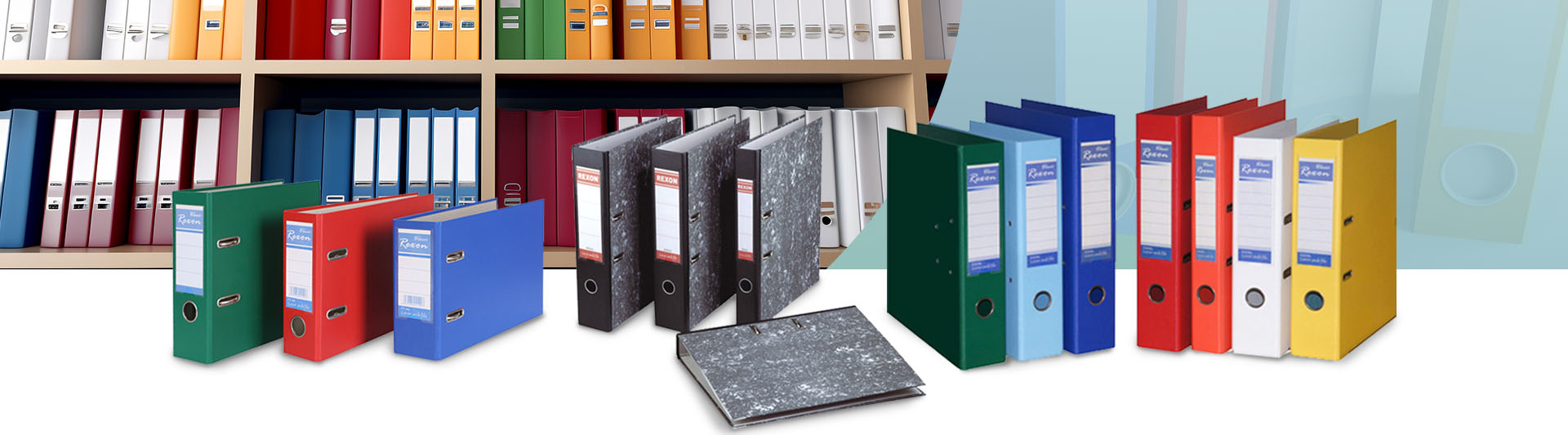
Organization is not only software. Physical storage affects speed, safety, and professionalism. Offices that handle frequent document turnover benefit from durable, standardized storage that supports labeling, sorting, and secure access.
If you are improving your office storage setup, REXON offers workplace solutions that can support a cleaner, more structured document environment. As a manufacturer-focused supplier, REXON emphasizes practical design, stable build quality, and configurations suitable for offices that need consistent organization across teams. You can explore their approach and product range at https://www.rexon.us.
Use this checklist to roll out improvements without disrupting daily work:
Define your document map with no more than 8 to 10 top categories
Set one naming rule and publish examples
Separate Active, Reference, and Archive folders
Create paper zones: Inbound, In Process, Filed
Standardize labels and color logic
Establish an approval path and a single source of truth
Write retention rules by document type
Add an index layer for high-value files
Assign owners and schedule regular cleanup
When these steps are applied together, document organization stops being a one-time cleanup and becomes a reliable operating system for the office. The result is faster retrieval, fewer errors, smoother audits, and a workspace that feels controlled even when work volume increases.
